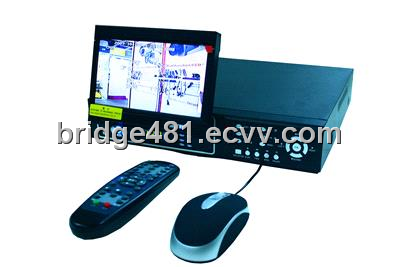
 You may have many problems for how to have a remote viewing by DVR and a internet router. Then here firstly you should connect your DVR to your router
 Use menu on DVR to assign internal IP and gateway and port number.
This Local IP must be in the same Gateway range as the Router. If you are unsure check the Router and locate the Status section or goto the Command prompt of Windows XP and type in ipconfig.
Look for Gateway. If the Gateway is 192.168.1.1, then you can make the DVR's IP anything from 192.168.1.2 - 192.168.1.255.
Also you will need to use the same SubNet Mask, which is typically 255.255.255.0, and also use the same gateway.
This Local IP must be in the same Gateway range as the Router. If you are unsure check the Router and locate the Status section or goto the Command prompt of Windows XP and type in ipconfig.
Look for Gateway. If the Gateway is 192.168.1.1, then you can make the DVR's IP anything from 192.168.1.2 - 192.168.1.255.
Also you will need to use the same SubNet Mask, which is typically 255.255.255.0, and also use the same gateway.
Next find out what port your DVR uses. The easiest way to it is by reading the manual of your DVR. Look for the network section of it.
Also if it comes with network software, check out if in the connection area the software shows the port number.
Also check the Server software/Programming (Network section of it) to see if the port is listed.
In many cases it will be as simple as just Port 80, which is an HTTP port.
Also if it comes with network software, check out if in the connection area the software shows the port number.
Also check the Server software/Programming (Network section of it) to see if the port is listed.
In many cases it will be as simple as just Port 80, which is an HTTP port.
Set your router to forward chosen port to internal IP address of DVR.
To access the Router itself, use the Gateway you just located. If the gateway is 192.168.1.1, then enter that into the location edit box of your browser and then click the Enter button. A username and a password are typically required, but it depends on a router. For Linksys use "admin", "admin". By default DLink doesn't require any username or password (It is highly recommended to change the default password).
Once you're logged into the Router, in the Applications & Gaming Section / Servers of the Router, you need to add a Server/Application. Enter the port number and select TCP only. Where it says Port 0 to 0 enter the same port number twice. Or if your DVR uses for example, ports 3550, 4550, 5550, 6550, and there is nothing else utilizing these ports in between, then you can actually just enter one line, 3550 - 6550.
Enter the DVR/Cameras internal IP.
Enable it.
To access the Router itself, use the Gateway you just located. If the gateway is 192.168.1.1, then enter that into the location edit box of your browser and then click the Enter button. A username and a password are typically required, but it depends on a router. For Linksys use "admin", "admin". By default DLink doesn't require any username or password (It is highly recommended to change the default password).
Once you're logged into the Router, in the Applications & Gaming Section / Servers of the Router, you need to add a Server/Application. Enter the port number and select TCP only. Where it says Port 0 to 0 enter the same port number twice. Or if your DVR uses for example, ports 3550, 4550, 5550, 6550, and there is nothing else utilizing these ports in between, then you can actually just enter one line, 3550 - 6550.
Enter the DVR/Cameras internal IP.
Enable it.
Set up additional entries for as many ports the DVR uses, to the same local IP. Check your DVR manual and it's networking section for all additional ports required. Also check the DVR software itself.
If your router has enough free entries, you can seperate them. Use it like DVR_HTTP for the browser port, DVR_AUDIO for the audio port, etc.
If you are going to use VNC to a PC DVR, then you would need to set up port 5900, and perhaps call it VNC_DVR, for example.
If your router has enough free entries, you can seperate them. Use it like DVR_HTTP for the browser port, DVR_AUDIO for the audio port, etc.
If you are going to use VNC to a PC DVR, then you would need to set up port 5900, and perhaps call it VNC_DVR, for example.
You have a static IP so you don't need to use sevices like dyndns . You just enter your static IP and your router forwards packets to your DVR.
Try to find much more China DVR suppliers,china DVR manufacturers,china DVR products on http://www.ecvv.com/company/bridge481/catalog/123200/2.html.
Resource:
www.ecvv.com is an innovative and comprehensive business portal in China, dedicated to saving costs for Chinese SMEs to find buyers and export to overseas markets.
<a href="http://www.ecvv.com">www.ecvv.com</a> is an innovative and comprehensive business portal in China, dedicated to saving costs for Chinese SMEs to find buyers and export to overseas markets.

